Managing my listings
:::info Open it in ZonaCNC 👉 Go to My listings on ZonaCNC → :::
The "My listings" panel (Mis anuncios) is your seller control center on ZonaCNC. From here you can see every machine you have published, its current status, and all the actions you need to keep your catalog up to date. Use it whenever you want to review, update, or boost your listings.
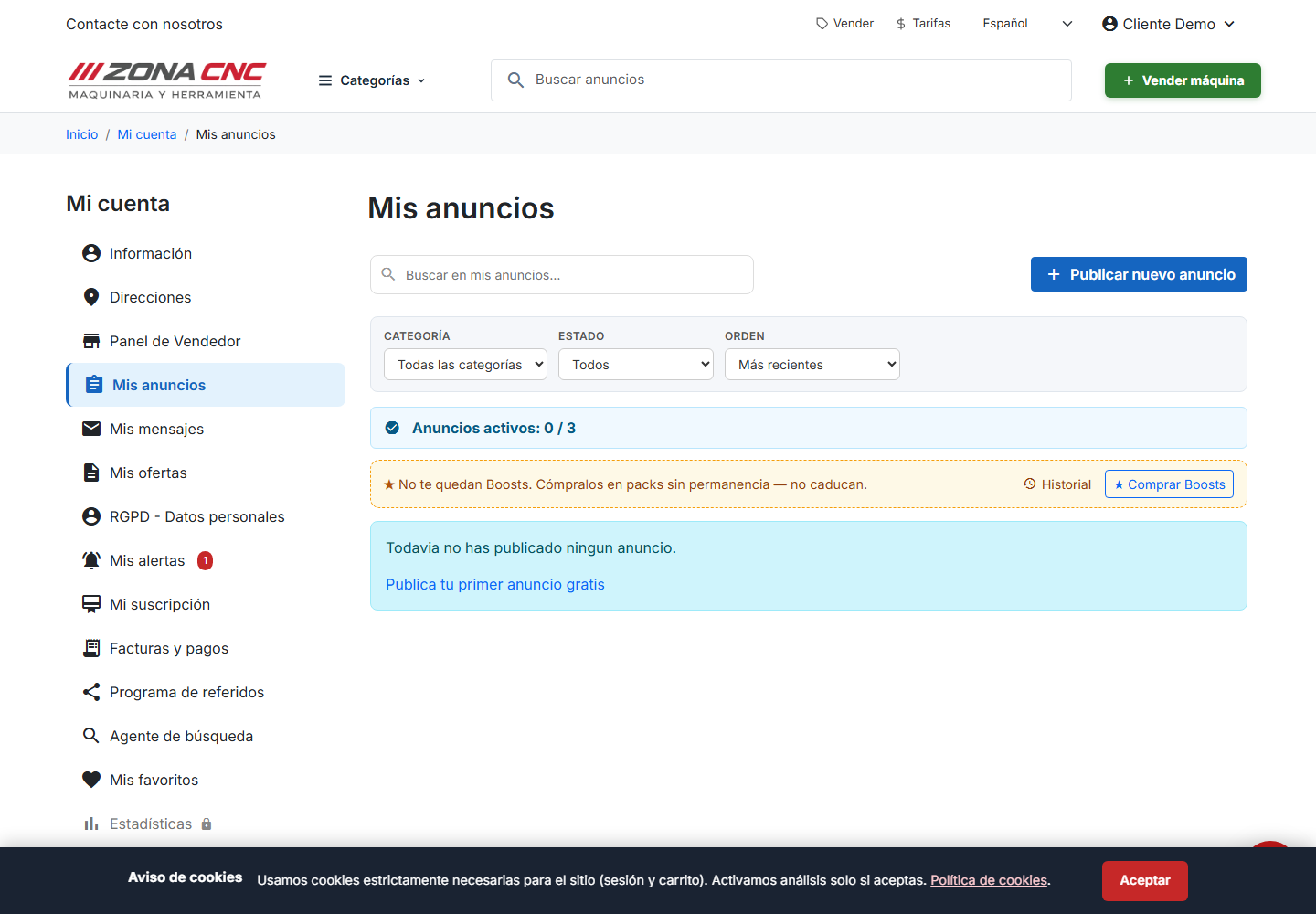
What you will find
The panel shows the full list of your machines. For each listing you can view and do the following:
- Status: see at a glance whether a listing is active or paused.
- Edit: update any detail (price, photos, description, specifications).
- Pause / reactivate: temporarily remove a listing or make it visible again.
- Boost: increase the listing's visibility so it appears at the top of search results.
- Statistics: check how each machine is performing.
Steps
- Sign in to your seller account.
- Open the "My listings" panel.
- Find the machine you want to manage in the list.
- Click the action you need: edit, pause/reactivate, boost, or view statistics.
- Save your changes if you have edited any details.
:::tip Tip When you sell a machine, pause its listing as soon as possible. This stops you from receiving enquiries about something you no longer have and keeps your catalog accurate. :::
Tips
- Review the statistics for each listing to find out which ones attract the most interest and which ones could be improved.
- If a listing is getting few enquiries, try updating its photos, description, or price.
- Keep your machines' status up to date: a well-maintained catalog conveys professionalism.
Common mistakes
- Leaving listings active for machines that have already been sold generates enquiries you cannot follow up on.
- Never checking the statistics means missing clues about what is working and what is not.
- Editing a listing and forgetting to save: always confirm that your changes have been applied.