Subscription and billing
:::info Open it in ZonaCNC 👉 Go to My subscription on ZonaCNC → :::
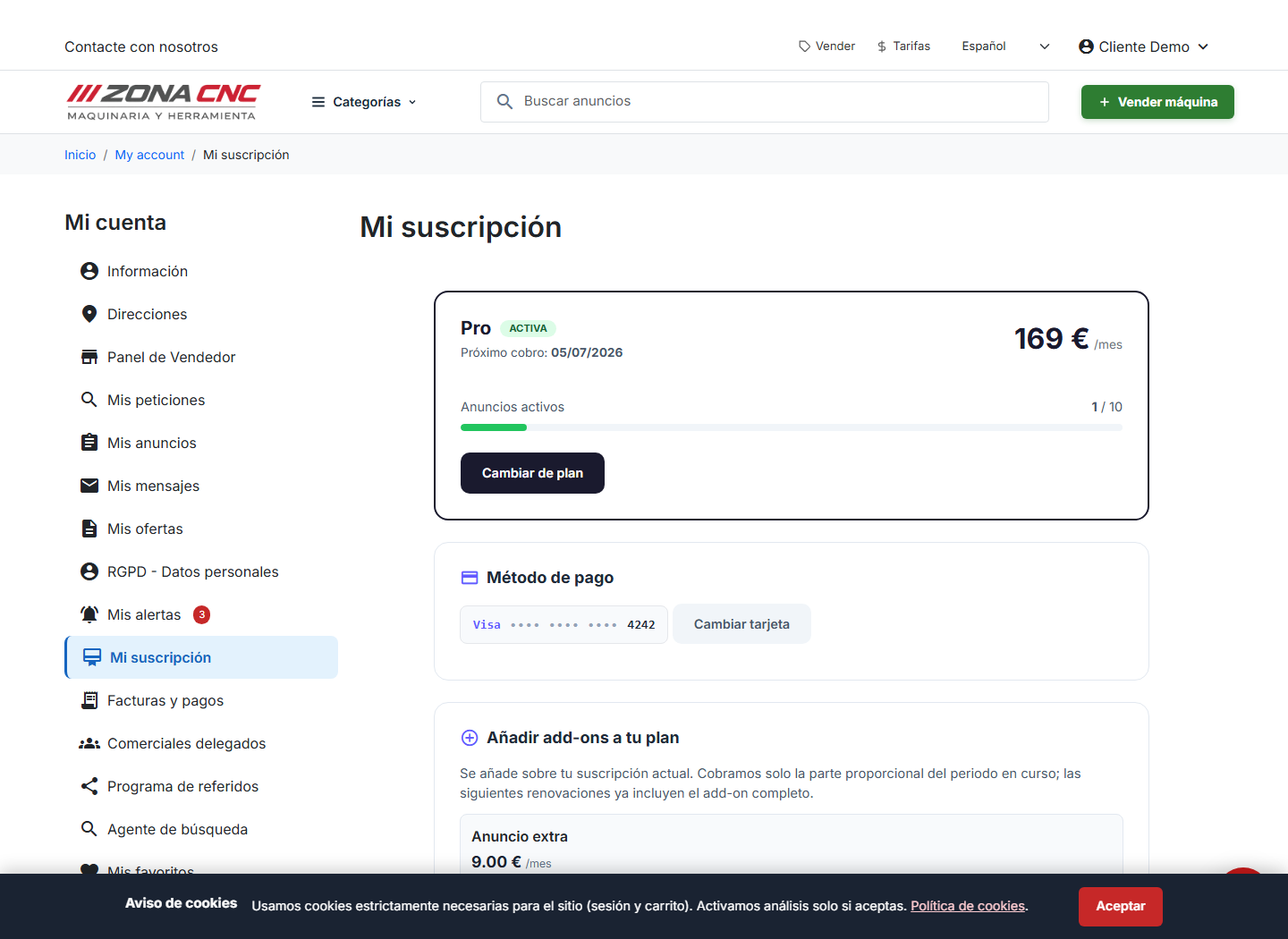
When you purchase a seller plan on ZonaCNC, payment is processed securely and your subscription is activated immediately so you can start listing your machinery. From your account you can manage your subscription and download invoices whenever you need them. This guide explains how billing works, where to find your invoices, and what happens when you cancel.
Secure payment
Plan charges are processed through Stripe, a trusted and widely-used payment gateway. This means your payment details are handled with all the security guarantees you would expect from this type of platform. There is no manual payment process: once you choose a plan, the system walks you through checkout automatically.
Steps
- Sign in to your ZonaCNC account.
- Choose the plan you want from the "Pricing" (Tarifas) or "Sell" (Vender) page.
- Complete the secure payment through Stripe.
- Once your subscription is active, go to your account to manage it.
- From your account, download your invoices whenever you need them.
Managing your subscription and invoices
Everything related to your plan is centralised in your seller account:
- View your subscription to see which plan is currently active.
- Download your invoices for your accounting records or to share with your accountant.
- Make changes to your plan from the same section whenever needed.
:::tip Tip Download your invoices regularly and keep them together with the rest of your accounting documents. That way you always have them on hand, even if you switch plans. :::
Cancellation
If you decide to cancel your subscription, the cancellation takes effect at the end of the billing period you have already paid for. In other words, you continue to enjoy the plan until the paid period ends, and it simply does not renew after that point.
:::warning Important Cancellation is not immediate: you retain access to the plan until the end of the current billing period. Plan ahead if you want to stop the renewal. :::
Common mistakes
- Expecting an immediate refund upon cancellation. The plan ends at the close of the current period, not right away.
- Not downloading invoices in time. Do this from your account to keep your documentation always available.
- Looking for pricing in this guide. Current prices are shown on the pricing page of the portal, which always reflects up-to-date amounts.