The seller's public profile
:::info Open it in ZonaCNC 👉 View a sample microsite on ZonaCNC → :::
Every seller on ZonaCNC has a public profile (also known as a profile page or microsite) that brings together all the relevant information about their company in one place. It is the best tool for getting to know who you are dealing with before reaching out and purchasing machinery with greater confidence.
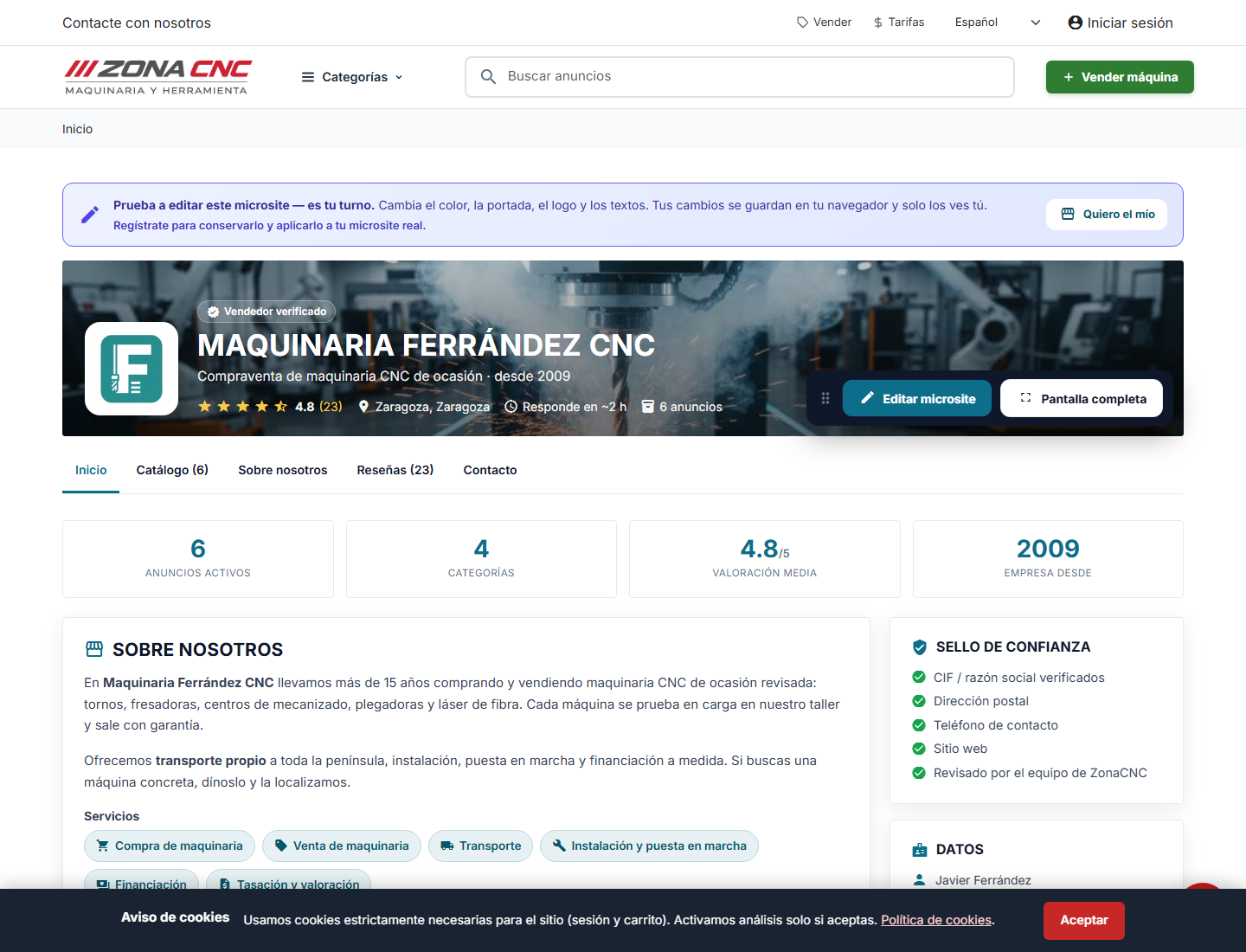
What you will find on the profile
- Company details: trading name, description, and — where the seller has filled them in — additional contact and presentation information.
- Verified badge: if the seller holds one, a badge is displayed indicating that ZonaCNC has validated their identity. This is an extra signal of trustworthiness.
- Activity indicators: metrics that summarise the seller's activity, such as the number of active listings or how quickly they respond to buyers.
- Listings: all the machines the seller currently has published, so you can browse their full catalogue at a glance.
- Location on the map: the area from which the seller operates — useful for assessing distances, logistics, or a potential on-site visit.
How to reach a seller's profile
Steps
- Open the product listing you are interested in.
- Look for the seller's name or the link to their profile within the listing page.
- Click to open their public profile.
- Review their details, the verified badge (if they have one), their activity indicators, and the rest of their listings.
- Once you are ready, contact the seller from the listing that interests you most.
:::tip Tip Before finalising any deal, take a couple of minutes to review the seller's full profile. Looking at their catalogue, location, and response time will help you make a more confident decision. :::
Tips
- Use the listings section of the profile to compare several machines from the same seller without going back to the search results.
- Pay attention to the location: proximity can simplify transport, collection, or an in-person inspection.
- The verified badge and activity indicators are good signals, but always complement them with your own questions to the seller.
Common mistakes
- Contacting a seller without having checked the rest of their catalogue: they sometimes have another machine that is a better fit for what you are looking for.
- Assuming that a seller without a verified badge is unreliable. The badge is an added assurance, but its absence does not mean the opposite — also consider their overall profile and how they respond to enquiries.