How to log in to ZonaCNC
:::info Open it in ZonaCNC 👉 Go to ZonaCNC login → :::
Log in to access your ZonaCNC account and everything you have saved: favorites, alerts, messages with sellers, and your listings if you are a seller. Use this guide whenever you want to access the portal or if you are having trouble signing in.
Steps
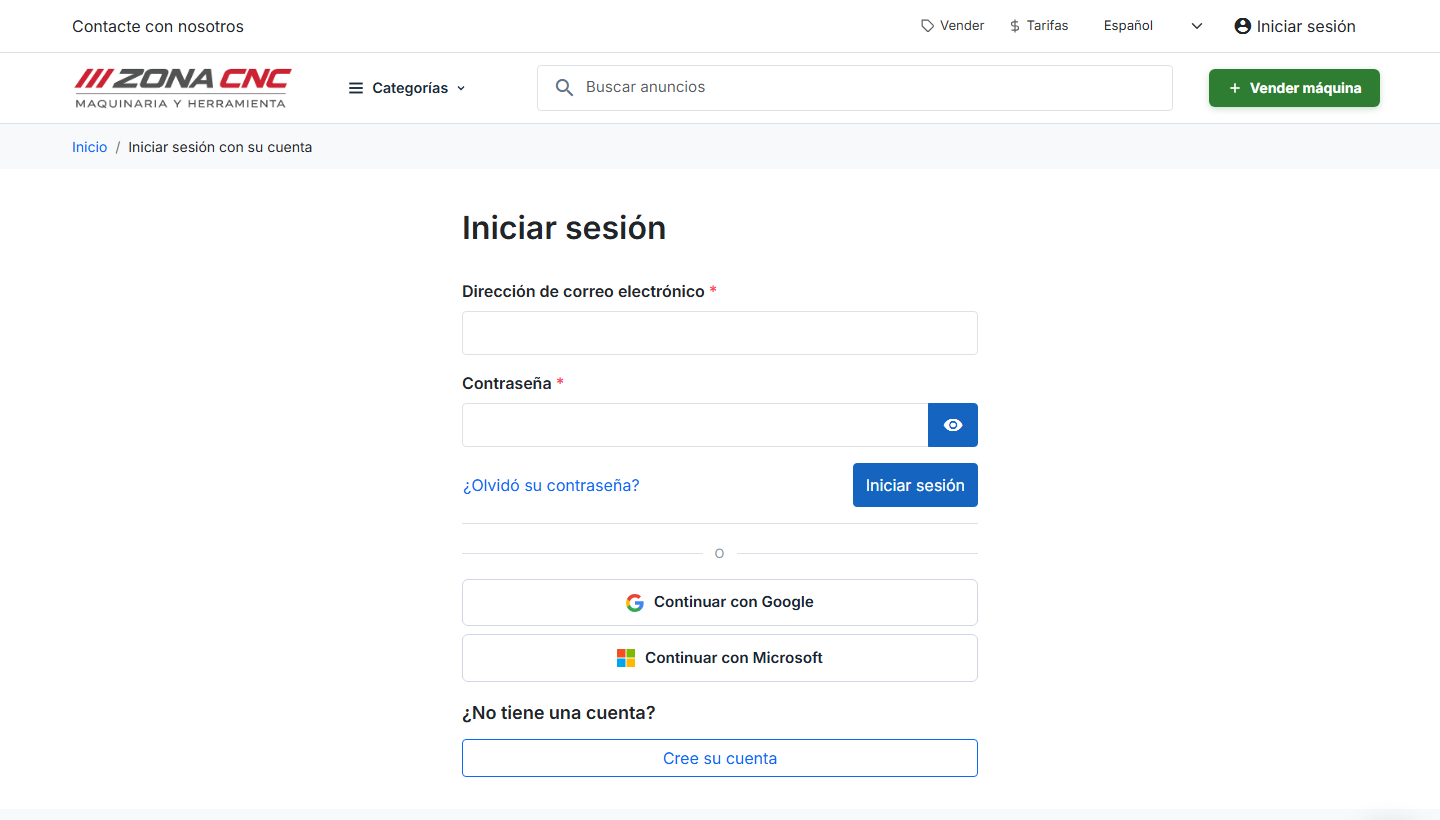
- Go to the login page at /es/iniciar-sesion or click the Log in link in the header.
- Choose how you want to sign in:
- With email and password: enter the email address and password you registered with.
- With Google or Microsoft: click the corresponding button and authorize access in one click.
- Click the button to sign in. You will be taken to your account and can pick up where you left off.
If you have forgotten your password
On the same screen you will find a link to reset your password. Click it, enter your email address, and follow the instructions sent to you by email to create a new password.
:::tip Tip If you registered with Google or Microsoft, you do not have a ZonaCNC-specific password: always sign in using the Google or Microsoft button. The password reset link only applies to accounts created with an email address and password. :::
Common errors
- Incorrect password: check for capitalization and make sure Caps Lock is not on. If you cannot remember it, use the reset link.
- Wrong email address: make sure you are using the same email address you registered with.
- Wrong sign-in method: if you created your account with Google, you will not be able to sign in with email and password — use the Google button instead.
:::warning Warning Do not share your password with anyone. ZonaCNC will never ask for it by email or phone. :::