Saved searches and alerts
:::info Open it in ZonaCNC 👉 Go to My Alerts in ZonaCNC → :::
Saved searches and alerts notify you automatically whenever machinery matching what you are looking for becomes available, so you do not have to check the platform every day. This is ideal if you are hunting for a specific type of machine that is not always in stock: set your criteria once and ZonaCNC will email you whenever something matching turns up.
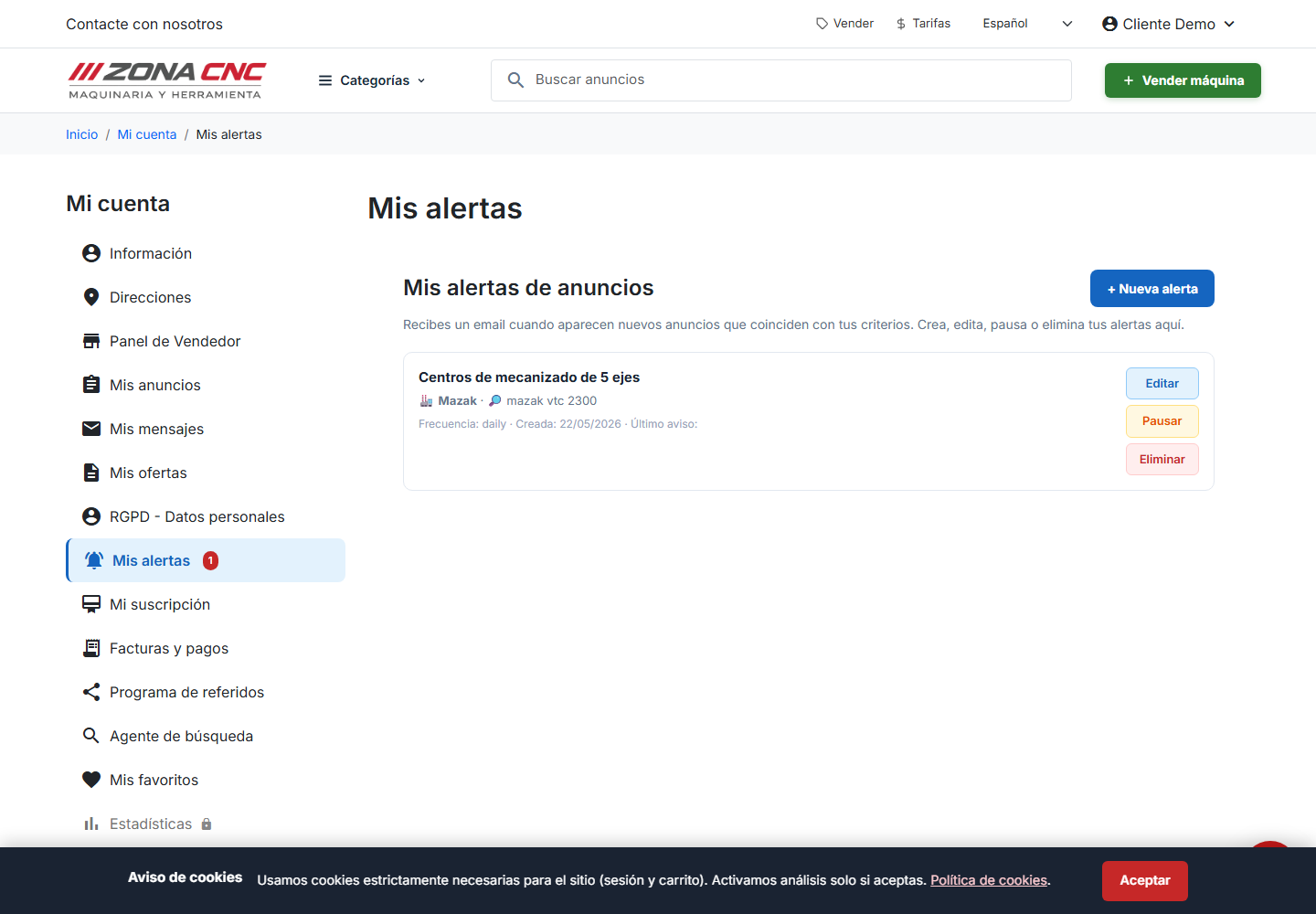
Steps
- Sign in to your ZonaCNC account.
- Run a search in the catalogue using the criteria you are interested in.
- On the results page, click Save search to store those criteria.
- Go to My Alerts (Mis alertas) to manage your alerts: create new ones, pause them, or edit their criteria.
- From that point on you will receive an email whenever machinery matching your defined criteria appears.
Managing your alerts in "My Alerts"
The My Alerts section gives you full control over your notifications:
- Create new alerts based on your search criteria.
- Pause an alert temporarily when you do not want to receive notifications, and reactivate it whenever you are ready.
- Edit the criteria, including ranges (for example, a price range or a specification range), to fine-tune which machines trigger the alert.
:::tip Tip Use ranges rather than exact values so you do not miss opportunities that fall just outside your original criteria. An overly strict alert can exclude perfectly good options. :::
Tips
- Create multiple alerts if you are looking for different types of machinery, each with its own criteria.
- If you receive too many notifications, tighten the criteria to make them more specific. If you receive very few, broaden the ranges.
- Pause an alert rather than deleting it if you only want to stop receiving notifications for a while.
Common mistakes
- Not being signed in: you need an active session to save searches and manage alerts.
- Criteria that are too strict: if you never receive any notifications, your criteria are probably too narrow — review them in My Alerts.
- Outdated email address: notifications are sent to the email address on your account, so keep it up to date in My Account (Mi cuenta).