The listing detail page
:::info Open it in ZonaCNC 👉 View a listing on ZonaCNC → :::
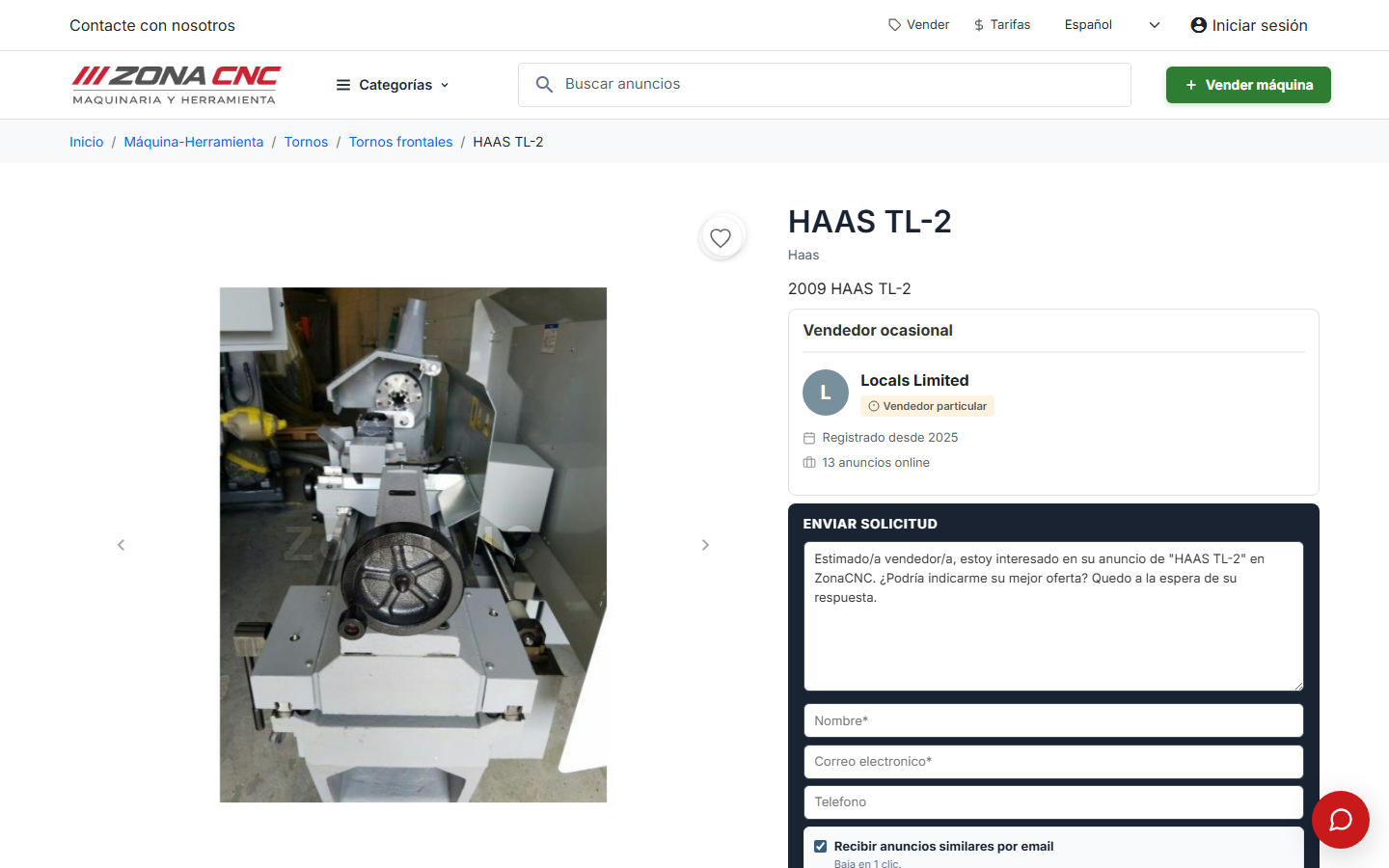
The listing detail page is where all the information about a published machine comes together. You visit it to get a thorough picture of a piece of equipment before reaching out to the seller: here you can see the photos, the technical specifications, who is selling it, and how to contact them. Bear in mind that ZonaCNC has no shopping cart or online checkout — the purpose of this page is to give you everything you need to make a decision and contact the seller.
What you will find on the listing page
- Photos and gallery: images of the machine so you can inspect it in detail.
- Price or "Ask for price": some listings display a price; others invite you to request it directly from the seller.
- Machine data: the manufacturer (with its logo), model, year, condition, hours of use, location, and technical specifications.
- Description: the seller's text detailing the equipment, its maintenance history, or previous use.
- Seller profile: the company name, whether the seller is verified, and their location.
- Contact form: the way to write directly to the seller from within the listing page.
- Favourite button (heart icon): to save the listing and come back to it later.
Steps
- Open a listing from the search results or the search bar.
- Review the photos and the description to get a general sense of the machine.
- Check the "Machine data" section: manufacturer, model, year, condition, hours of use, location, and technical specifications.
- Look at the seller profile (company, verification status, location) to assess who you are dealing with.
- If you are interested, use the contact form to write to the seller.
- Press the heart icon to save it to your favourites and compare at your leisure.
:::tip Tip Pay close attention to the condition, hours of use, and year: these are the factors that most affect the value of a used machine. If any detail that matters to you is missing, ask about it in the contact form. :::
:::warning Important The price shown (or the "Ask for price" label) is set by the seller. For terms, availability, or shipping, it is best to confirm everything directly with them before making a decision. :::