Seller Dashboard
:::info Open it in ZonaCNC 👉 Go to the Seller Dashboard on ZonaCNC → :::
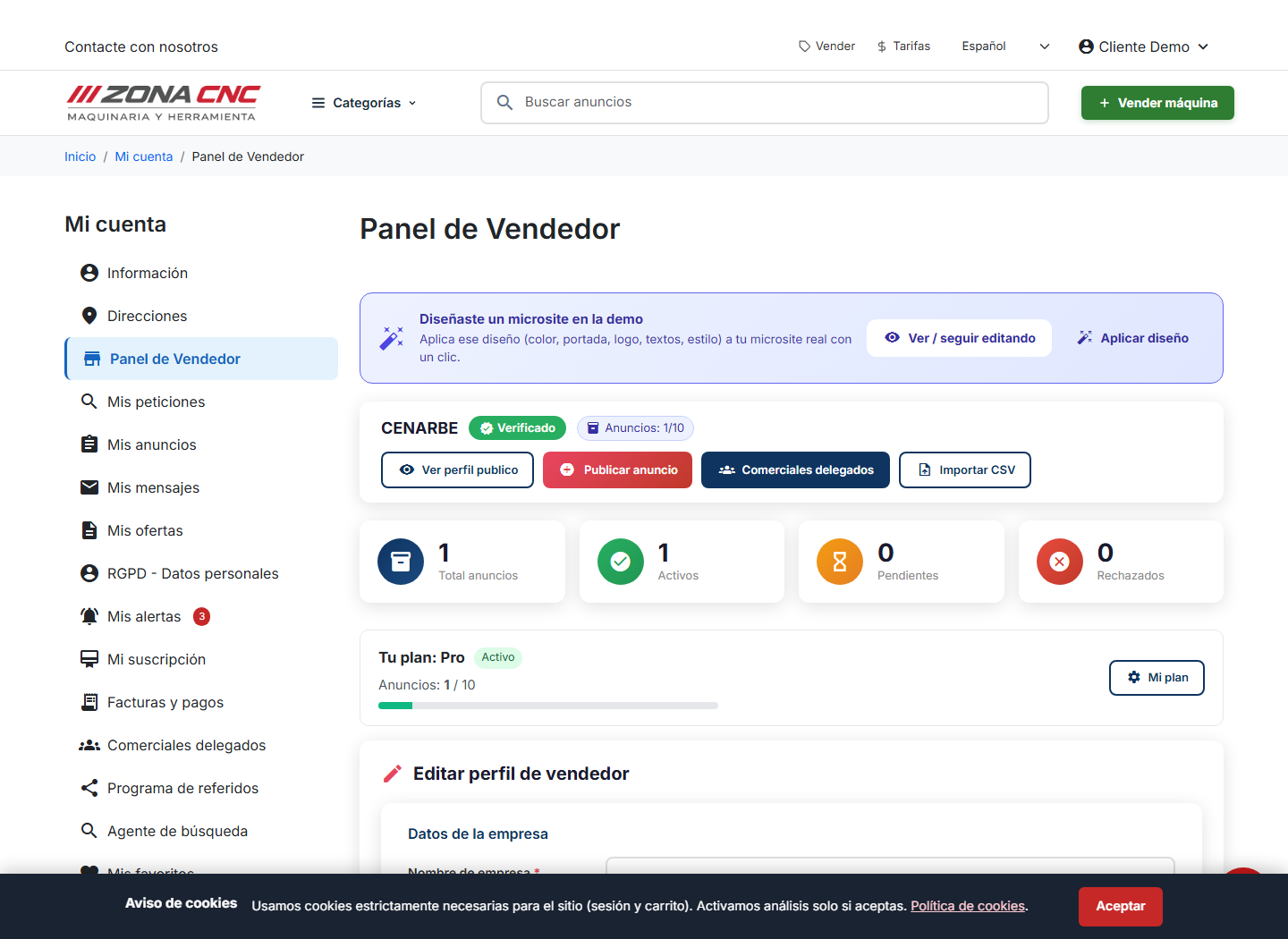
The Seller Dashboard is a summary of all your activity as a seller within "My Account" (Mi cuenta). It is the entry point for managing what you sell: at a glance you can see your listings, publish new machinery, and check the status of your plan. Use it every time you sit down to work on your inventory — from here you can jump to every sales tool without getting lost in the portal.
Steps
- Log in and go to your "My Account" area.
- Open the Seller Dashboard — it appears as its own section once your account has an active seller profile.
- Review the summary: number of active listings, their status, and shortcuts to the most common actions.
- From there, choose what you want to do: publish a machine, manage existing listings, or review your plan.
tip
Make it your starting screen for every session. Seeing at a glance how many listings are active helps you quickly spot anything that has been paused or expired.
Tips
- Check in regularly even when you are not publishing anything new — this way you can confirm your machines are still visible and their information is up to date.
- If your plan limits the number of listings, the dashboard is the best place to check how many slots you have left before publishing more.
- Keep your public profile details current; a tidy dashboard translates into a stronger impression for buyers.
Common mistakes
- Confusing the dashboard with the public catalogue: the Seller Dashboard is your private management area, not what buyers see.
- Forgetting to check your plan status and only discovering later that listings were paused because the included limit was exceeded.
- Ignoring the quick-action shortcuts and navigating through menus for tasks the dashboard can handle in a single click.