Statistics
:::info Open it in ZonaCNC 👉 Go to your Statistics in ZonaCNC → :::
Statistics show you how your listings are performing: how many people view them, how many leads you receive, and how many times buyers save them as favourites. They let you make data-driven decisions instead of guessing — adjust your price, improve your photos, or understand which machines generate the most interest. This is an advanced feature available depending on your plan; if yours does not include it, the section will appear locked with a padlock icon, and you can unlock it simply by upgrading your plan.
Steps
- Go to your Seller Dashboard (Panel de Vendedor) inside "My Account".
- Open the Statistics section.
- If your plan includes it, you will see the metrics for your listings; if a padlock appears, that means you need a higher-tier plan.
- Review each listing individually and compare which ones receive the most views and the most leads.
What it measures
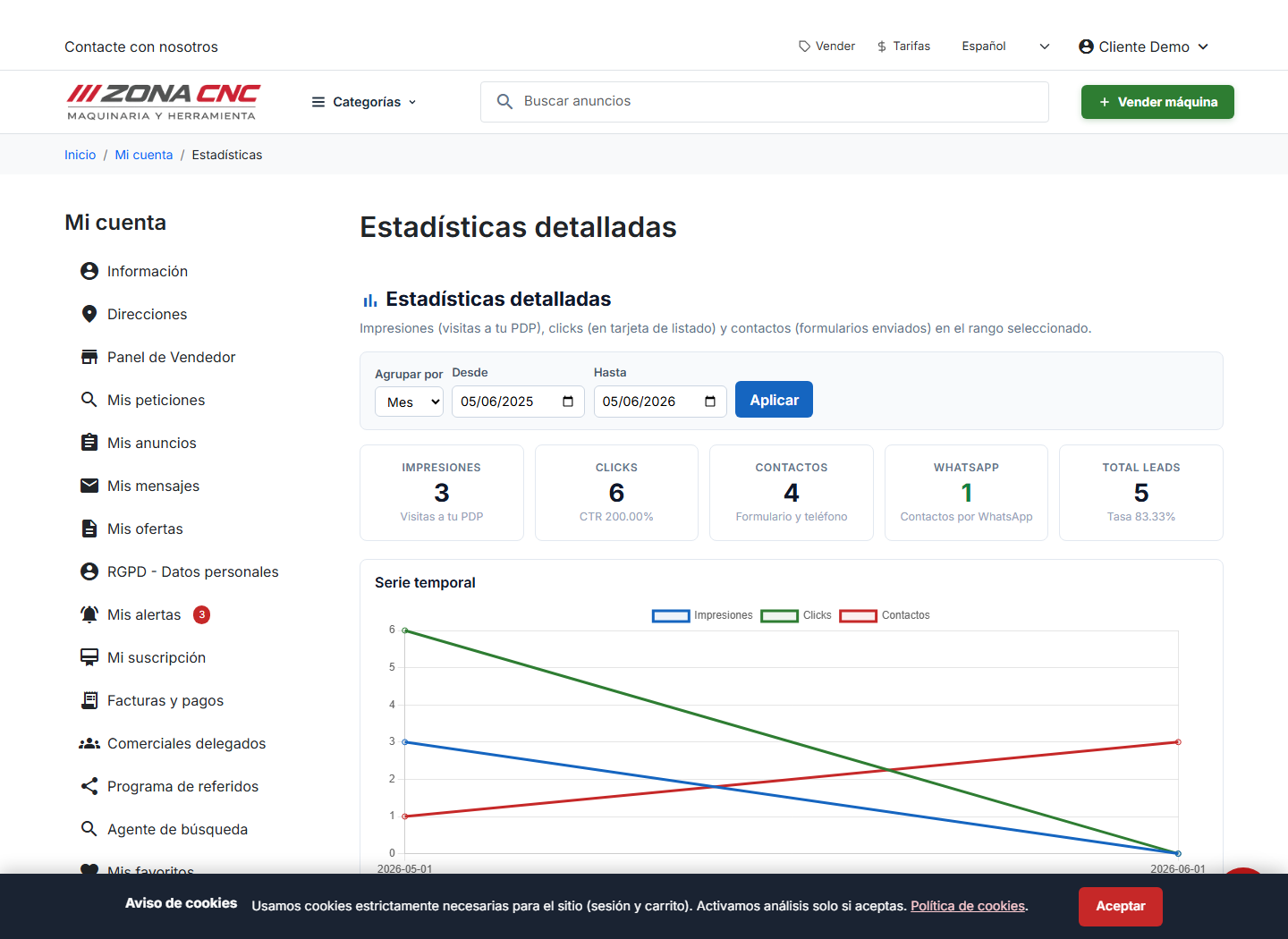
You can choose the date range (from / to) and group results by month. The dashboard shows:
- Impressions: visits to the detail page (PDP) of your machines. Low impressions usually point to a visibility issue or a weak title.
- Clicks: clicks on your listing card within the catalogue (how many people open your listing from the search results).
- CTR: the click-through rate — clicks as a percentage of impressions; it tells you whether your card catches attention.
- Leads: contact forms submitted and phone numbers revealed. This is the metric most closely tied to an actual sale.
- WhatsApp: contacts initiated via WhatsApp.
- Total leads and rate: the total number of leads and their share relative to total visits.
- Time series: a chart of impressions, clicks, and leads over the selected date range.
Compare two similar listings: if one gets significantly more views, look at its title and photos and apply the same approach to the underperforming one.
If the section appears locked, it is not a bug: your current plan does not include statistics. Upgrade your plan to enable them.
Tips
- Many views but few leads: review the price or add information that answers common questions (condition, hours of use, location).
- Few views: improve the title, the category, and the main photo — that is what buyers see in the listings.
- Give the data some time before making sweeping changes; the impact of edits becomes visible over the following days.