Invoices and payments
:::info Open it in ZonaCNC 👉 Go to Invoices and payments on ZonaCNC → :::
Invoices and payments, found under My account (at /es/facturacion), brings together the complete history of all your payments on ZonaCNC: your seller plan subscription, any Boost Packs you have used to promote your listings, and any other add-ons you have purchased. For every charge you can download a PDF invoice, giving you one central place for all the receipts your accounting or finance department needs.
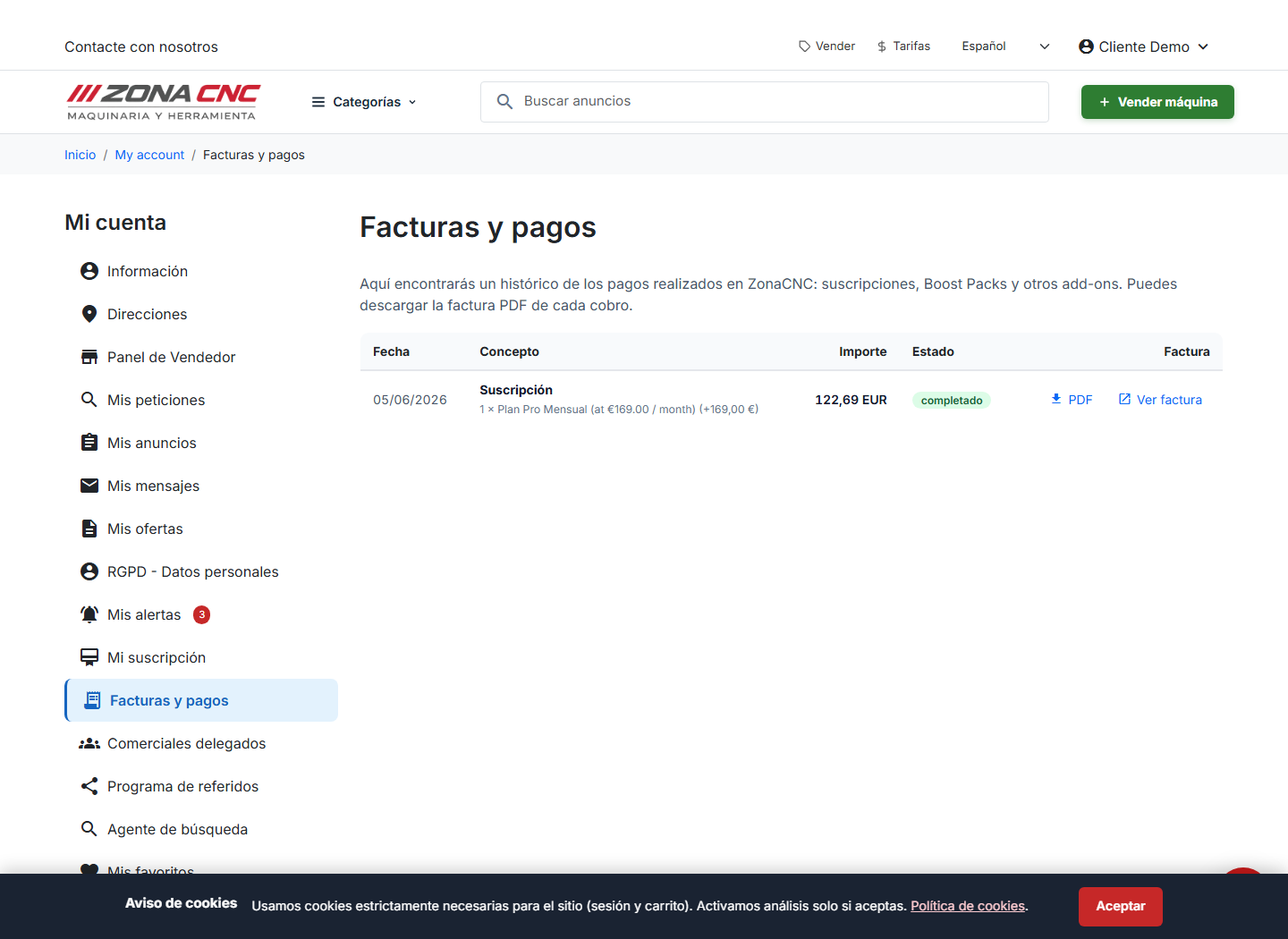
If you have not made any payments yet, you will see an empty state with the message "No payments yet" ("Sin pagos todavía"). As soon as you subscribe to a plan or purchase an add-on, the charge will appear in this list automatically with its invoice ready to download.
Steps
- Go to My account and open Invoices and payments (also available at
/es/facturacion). - Review your payment history: each line shows the description (plan, Boost Pack, or other add-on), the date, and the amount.
- Find the charge you are looking for using the date and description as references.
- Click the option to download the PDF invoice.
- Save the file or forward it to your accountant.
Before downloading your first invoice, make sure your billing details (name or company name, tax ID, and address) are correct in your account. That way they will appear correctly on all your invoices.
All payments are processed securely by card through Stripe. If a charge appears as failed or declined, check that your card is active and has sufficient funds: until the payment goes through, your plan or add-on may be restricted.
Tips
- Download each invoice as soon as it is generated and archive it to keep your accounting up to date.
- Keep your payment card up to date to avoid interruptions to your subscription or Boost Packs.
- Use the charge date as a reference to quickly locate any invoice in your history.
- If you need to correct the billing details on an invoice that has already been issued, contact support.
Common mistakes
- Looking for an invoice by the download date instead of the charge date.
- Confusing a charge for your plan or a Boost Pack with a machinery sale: this section only shows payments for your subscriptions and add-ons.
- Thinking you have no invoices when you are actually seeing the "No payments yet" state because you have not purchased anything yet.