How to subscribe to a seller plan
:::info Open it in ZonaCNC 👉 Go to plan subscription on ZonaCNC → :::
When you're ready to sell on ZonaCNC, subscribing to a plan is what unlocks all seller benefits: more listings, featured placements, statistics, and much more. This guide walks you through the entire process — from comparing plans to receiving your invoice. It only takes a couple of minutes.
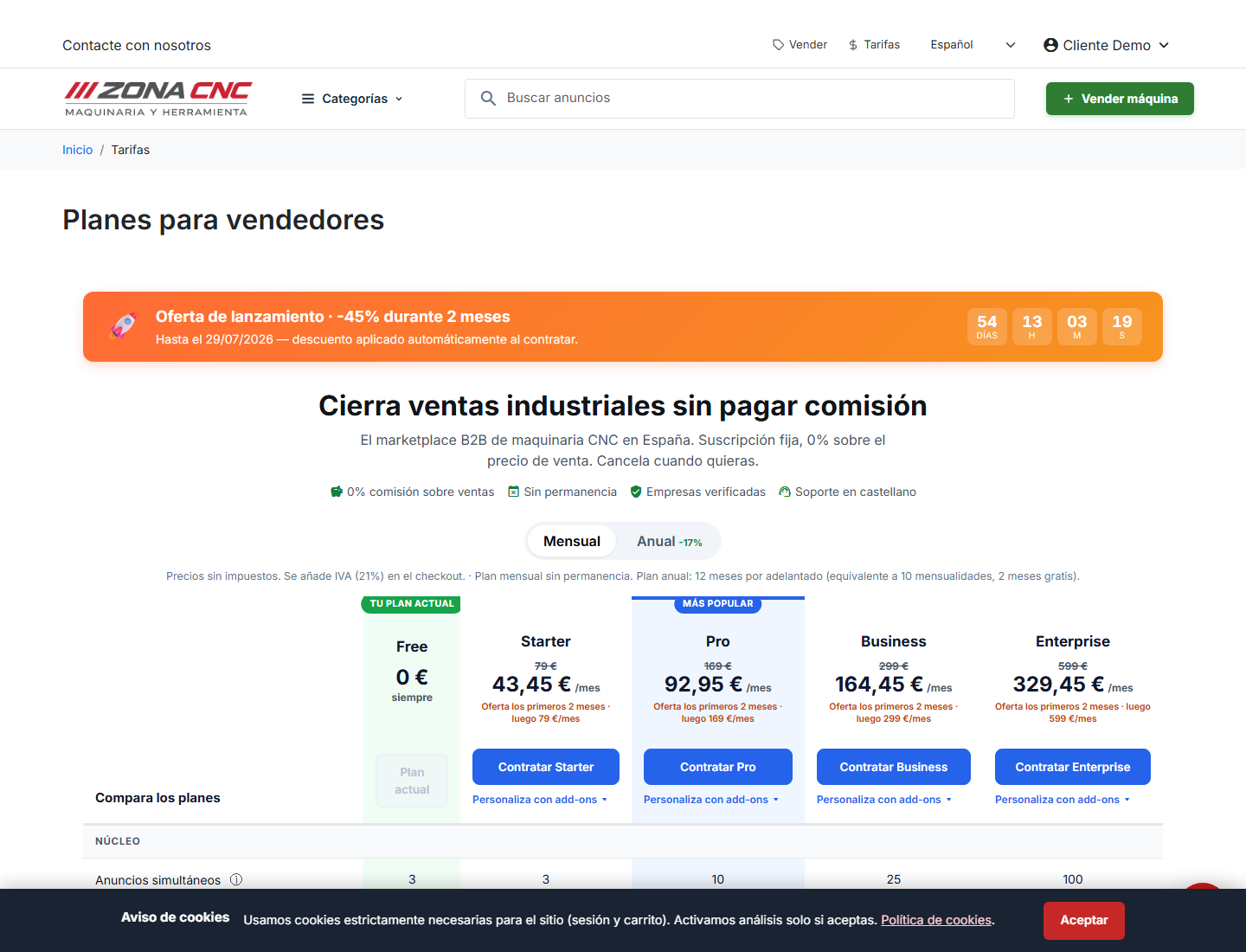
Steps
- In the top menu, click "Tarifas" (Pricing) to open the plans page.
- Compare the available plans (Free, Starter, Pro, Business, and Enterprise) and review what each one includes.
- On the plan you want, click the "Contratar [plan]" (Subscribe) button. You will be taken to the "Contratar plan" (Subscribe to plan) screen.
- Choose your billing period: Monthly or Annual. The annual period includes 2 months free compared to monthly billing.
- If you have a promotional code, enter it in the provided field to apply your discount.
- Review the summary: prices are shown with 21% VAT included, along with the key terms ("Cancel anytime", "No lock-in", and "Electronic invoice included").
- On the right, under "Pago seguro" (Secure payment), select your payment method: Card, Klarna, or the express options Link or Amazon Pay.
- Enter your card details and click to pay.
- Once payment is confirmed, your plan becomes active and your invoice is generated automatically.
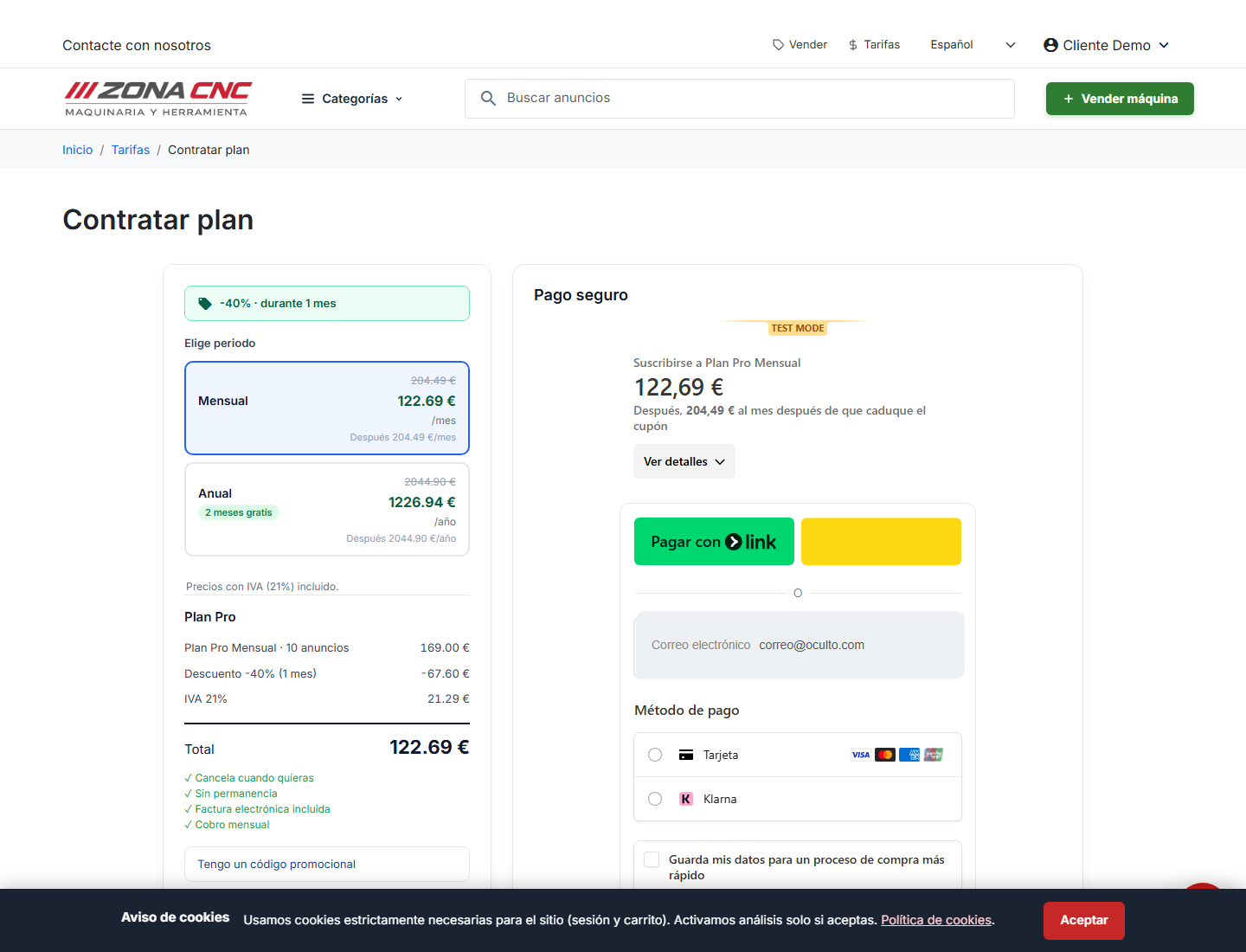
:::tip Sandbox (test environment) If you are in the test environment, use Stripe's test card 4242 4242 4242 4242, any future expiry date (e.g. 12/34), and any CVC. No real charge will be made. :::
Tips
- If you're undecided between two plans, start with the one that best fits your current needs — you can always upgrade later.
- Choose the Annual period if you plan to sell on an ongoing basis: the 2 months free represent meaningful savings over monthly billing.
- Keep your promotional code handy to enter it on the subscription screen; it is not applied automatically.
Common mistakes
- Forgetting to apply the promotional code before paying: always review the summary to confirm the discount is reflected.
- Confusing the monthly price with the annual one: double-check the selected billing period before confirming payment.
- Incomplete or expired card details: if the payment is declined, verify the card number, expiry date, and CVC.
warning
The prices shown here are for reference only. For the current price of each plan, always check the Tarifas (Pricing) page, which reflects the latest terms and amounts.