How to search for machinery on ZonaCNC
:::info Open it in ZonaCNC 👉 Go to Search machinery on ZonaCNC → :::
The search bar is the fastest way to find the machine you need within the ZonaCNC catalogue. Use it when you already have a clear idea of what you are looking for: a specific model, a brand, a machine type, or even a single keyword. It is available in the header of every page, so you can start a search from wherever you are.
Steps
- Locate the "Search listings" ("Buscar anuncios") field at the top of the page.
- Type what you are looking for: the model (for example, a specific part number or reference), the brand (Mazak, Haas, Amada…), or the machine type (lathe, milling machine, press brake…).
- Press Enter or click the search icon.
- Review the results, which appear as a listing of advertisements.
- Click any listing to open its full detail page.
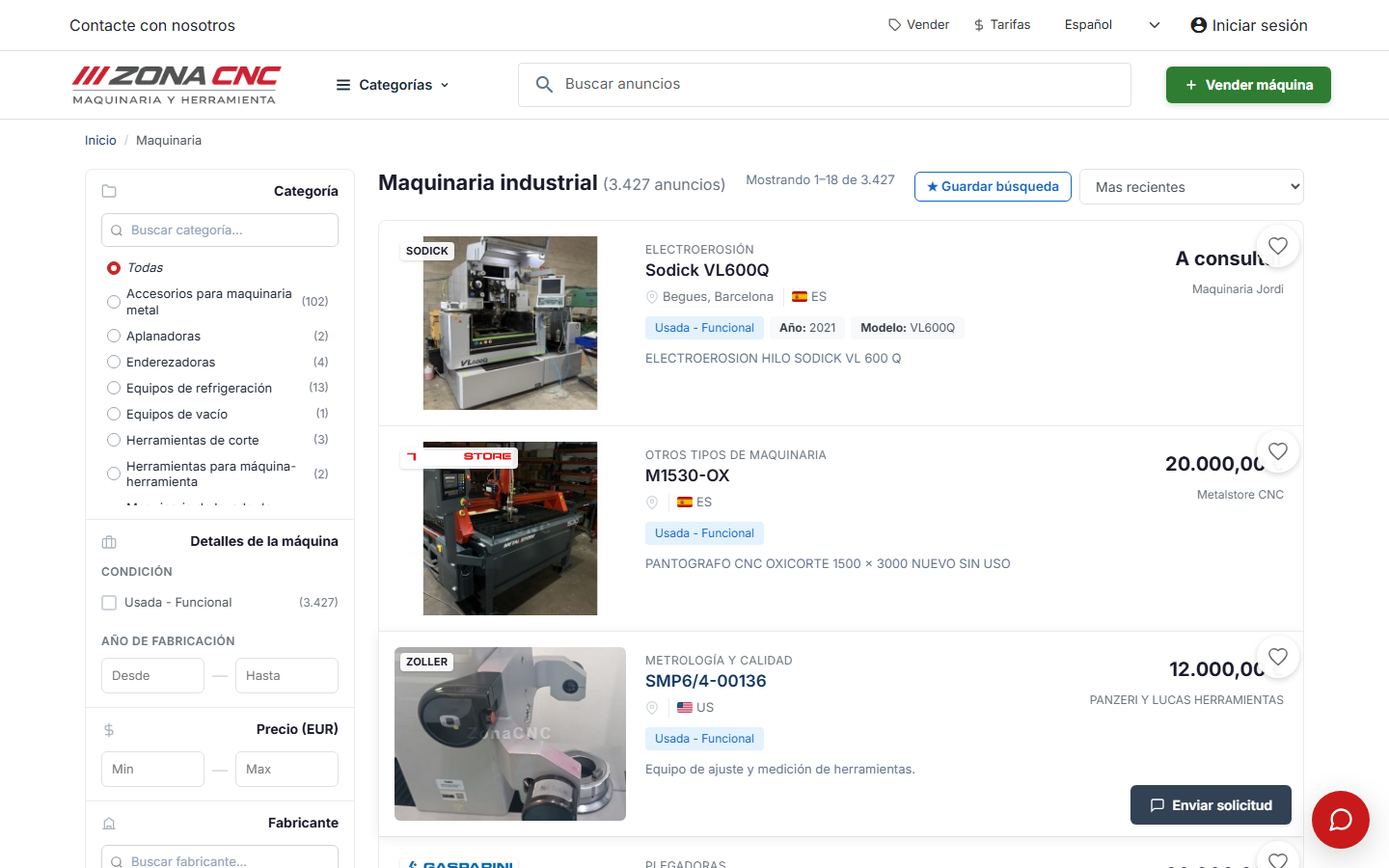
Search that understands synonyms
You do not need to type the exact term. The search engine understands synonyms and common industry variants, so if you enter an everyday word you will also find listings that use the equivalent technical term. This saves you from having to repeat searches with different words for the same thing.
:::tip Tip Start with broad terms (for example, "CNC lathe") and, if you get too many results, add details such as the brand or a year range. You can always refine further using the listing filters. :::
Tips
- Combine brand and type: searching for "DMG milling machine" usually yields more useful results than "milling machine" alone.
- Try the exact model reference if you know it: this is the most direct route to finding a specific machine.
- If a term returns no results, try a synonym or a more general term; the search engine does some of the heavy lifting, but a clear hint goes a long way.
Common mistakes
- Typing long phrases: the search engine works better with a few keywords than with full descriptions.
- Searching only by very specific characteristics (exact dimensions, number of axes): for that it is better to run a general search first and then use the listing filters.
- Assuming there are no results after a single search: change the term and try again.